Event organisers
Keep sessions on time, keep the speakers on their toes and the audience in the loop - with no distractions.
This is your fullscreen pitch timer that launches instantly, works offline, on as many screens as you have available - and behaves like a grown-up instead of ambushing you with ads and distracting your audience.
Whether you are managing a startup pitch competition, an accelerator cohort, an innovation challenge, or a university showcase, this timer is designed for events who have better things to do than wrestling with unprofessional timer solutions.
Keep sessions on time, keep the speakers on their toes and the audience in the loop - with no distractions.
Run pitch practice sessions, mentoring sessions, and demo days with a timer that just looks and works like it should.
Use it for internal challenges, venture days, and corporate idea showcases - adapt the colors to your CI in seconds.
Perfect for all your presentations and pitch formats.
Three steps. No download. No account. No installer. No mysterious dashboard requiring a PhD in Computer Science to figure it out.
Open the control page, choose a preset or set a custom timer in days, hours, minutes, and seconds - even change the colors to fit your event theme or corporate identity if you need to.
Project it on the big screen, put it on a confidence monitor on stage, put it on a screen to the side - show a timer on any screen connected. The timer does not care how many, stays in sync regardless.
Start, pause/continue, stop, or go into overtime - monitor and manage the status of the timer on the control page live from front-of-house or backstage.
This is a pitch event timer, not a lifestyle brand: It shows time, gives you control, and stays out of your way.
Open the page and go. No install, no sign-in, no waiting for ads to play. It just works. Right now. Boom! Like magic.
Use one screen to manage the timer and as many screens as your setup can handle to display it. They'll keep in sync. Yeah. Spooky action at a distance. We know.
Use presets or enter a custom duration - days, hours, minutes, and seconds. Sexagesimal may sound sexy, but you don't need to do know how to do math in base-60. Enter whatever. The system calculates the correct values to display. Like magic.
Match your event branding or CI without turning the setup process into an upskilling side quest.
Works without an internet connection once opened. A life-saver when the venue WiFi inevitably decides to have a meltdown moment.
No creepy analytics, no hidden drama, no selling your event data to the ad-tech void. Straight up, no BS.
Take ours. We created this one for ourselves - because we needed it as professional event orgaisers. It is clean, fast, visible - and boring in the exact ways a predictable live event tool should be. And it's FREE!
Pitch Timer Pro makes you and your partners & sponsors look good.
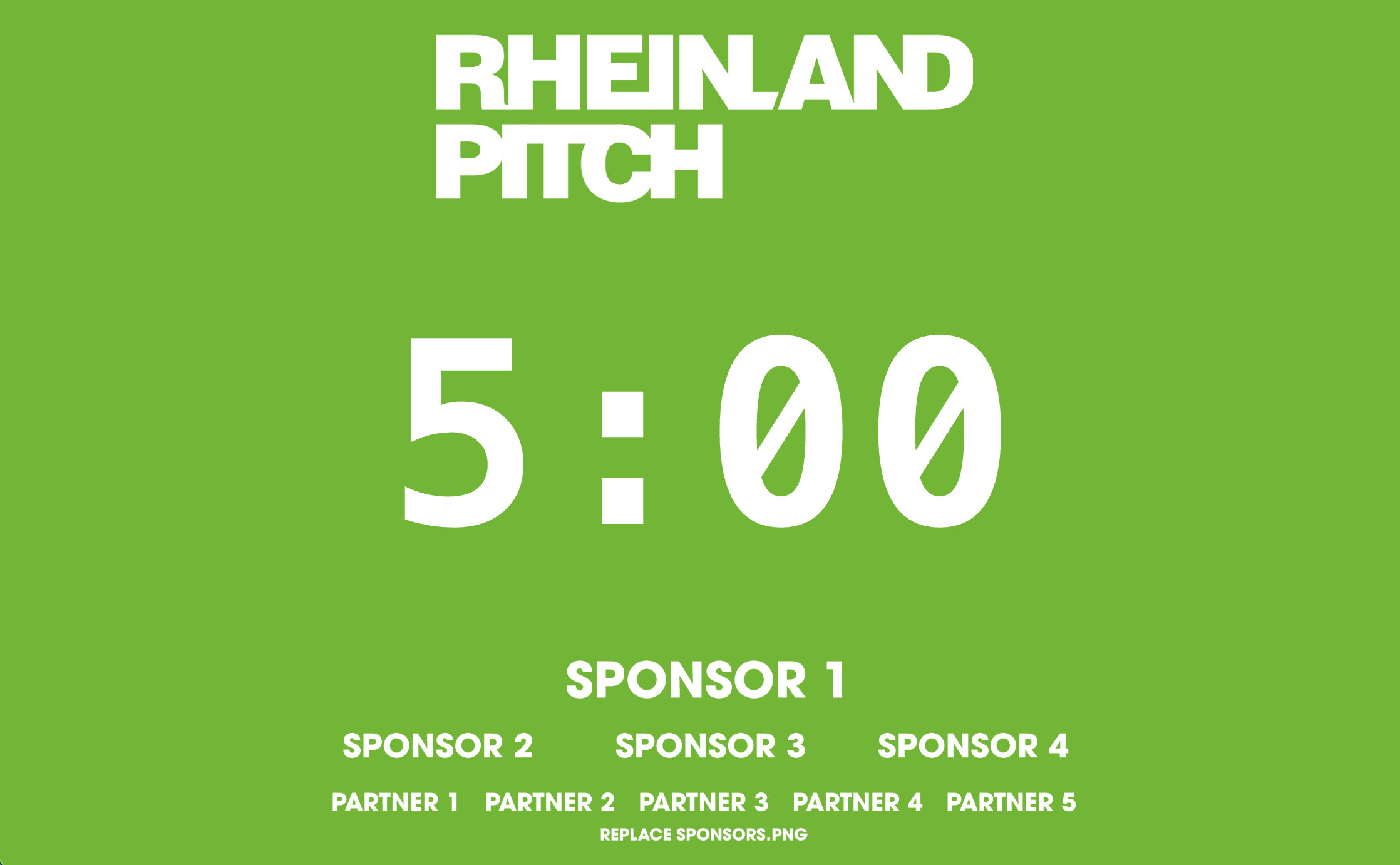
Pitch Timer Pro is the paid version of our free fullscreen event timer, built for accelerators, demo days, innovation programmes, universities, conferences, and organisations running high-visibility pitching events: Add your own event logo or remove logos completely, add sponsor or partner branding directly inside the live timer experience.
Pitch Timer Pro lets you save your custom branding colors and add your own logo as presets, and adding dedicated sponsor placement for your backers to enjoy fullscreen visibility on unlimited external screens.
Pitch Timer Pro was designed for pro organisers to deliver a pro event, adding convenience for organisers and creating extra visibility and value for partners, backers, and sponsors.
Helpful answers to smart questions.
Yes. Free as in free. Not “free if you watch these ads or give us your data”.
Yes. It runs locally in the browser BY DESIGN, which is excellent news for unreliable venue internet.
Yes. Open additional display windows as needed for projectors, on-stage confidence monitors, what have you - if the display is successfully connected to your computer, you can add another timer window to it.
Yes. Use the custom duration fields to enter days, hours, minutes, and seconds. Knock yourself out. Whatever you enter, the Timer automatically calculates and translates into the right values like magic.
No. No ads, no tracking, no spyware, no malware, no weirdness, no nonsense.
Yes - FREE usually comes with a trade-off of some sort, right? This is no exception. We're not denying it. And we're also not hiding any devious schemes to monetize you in the FREE version - because we don't have any. Our Pitch Timer Pro has more features and is our honest paid option.
Well, there is our paid (cheap, one-time purchase) Pitch Timer Pro for that!
Probably. It works for us, tough.
Well, what do you know... Our paid (cheap, one-time purchase) Pitch Timer Pro can do that too!
We don't know for sure, but we've been told that this is how the free market works. There are many timers out there - but these are ours. (And they are good). If you need more option, you too are free to put in the work and make your own instead of buying (a dirt cheap) one from us right now.
The gold standard for preparing startup founders to successfully raise money since 2013 - and helping students and employees to secure the buy-in and sponsorship from stakeholders to exexute on new ideas. Learn more about the Pitching Masterclass here.
Launch it in seconds. Put it on the big screen. Put it on the stage monitors. Put it on any and all screens you have connected. Keep everything moving on time.
Launch Timer